If you are in the reservation screen please start by clicking on the "payments" button, if you are in the front desk screen please choose the booking first.
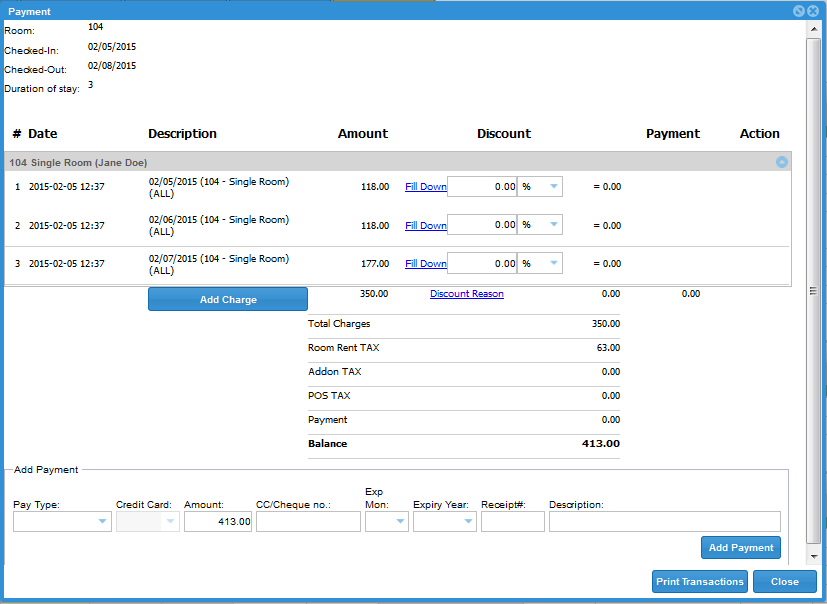
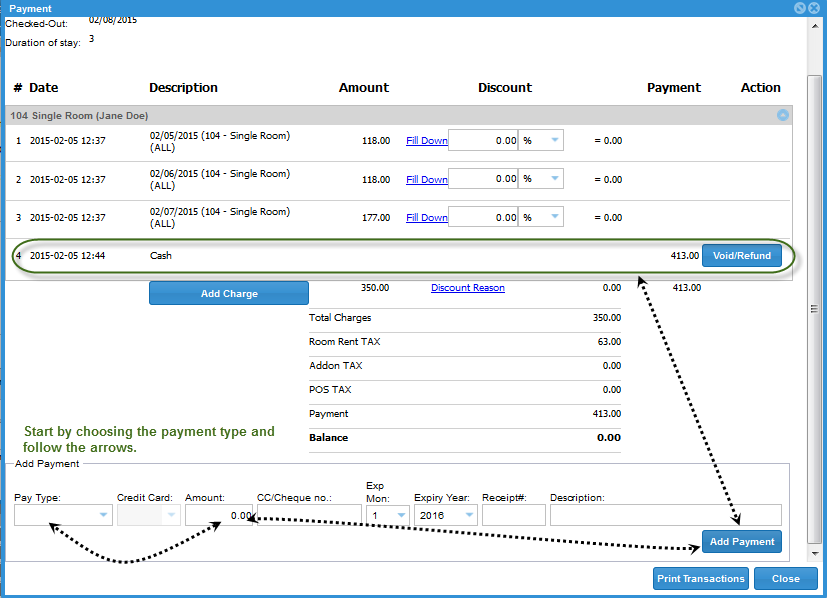
Clicking on the payment button will pull up the payment screen. Scroll down to the payment details and enter the payment info. Click on the "Add Payment" button to finish the process.
You can then issue a receipt or invoice to your guests. First screenshot shows a balance of $413.00. Second screenshot shows the steps that you will need to take to add a payment.
0 Comments