Login to InnGenius
Click on Front Desk Tab, press Reports button located on the left side of your screen (as per below)
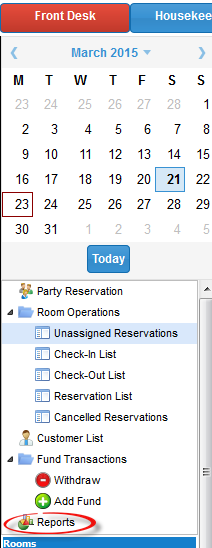
This will open up a new screen with reporting options – there is a vast range of reports to choose from and they are easily generated

For example if you wanted to find out how many guests did not show up for a certain period, press the “No Show Report” and fill out the dates you require and press OK

A report similar to the one shown below will open, you have the option to print it or download it

0 Comments