Placing a Block will automatically set the rates to $0 and you don't have to enter any guest info. You can use it to simply close a room to sale. Some hotels use the block for temporary holds without adding any payments to the customers account.
If you want to enter a custom price to an add-on follow these steps.
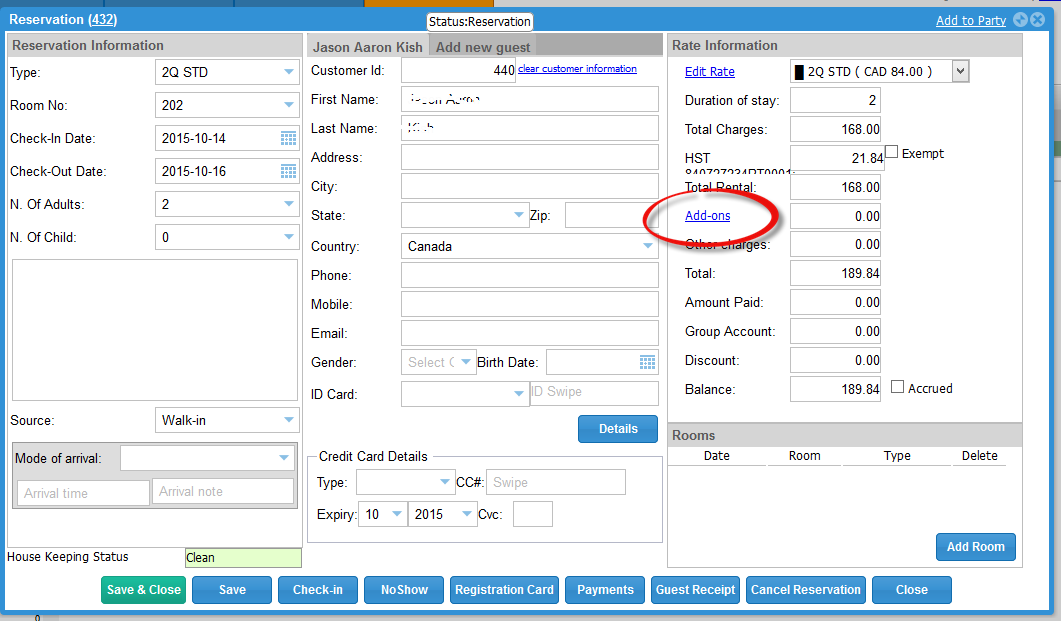
Click on "Add-on" in the reservation screen to pull up Add-ons
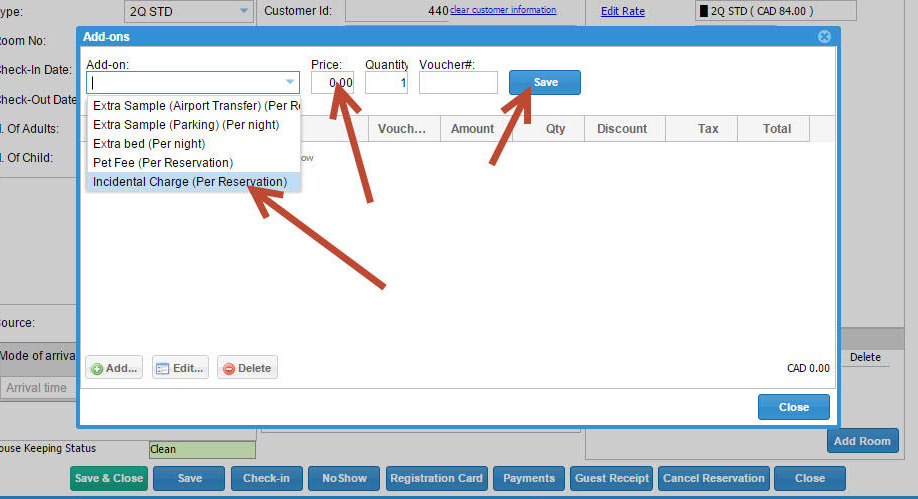
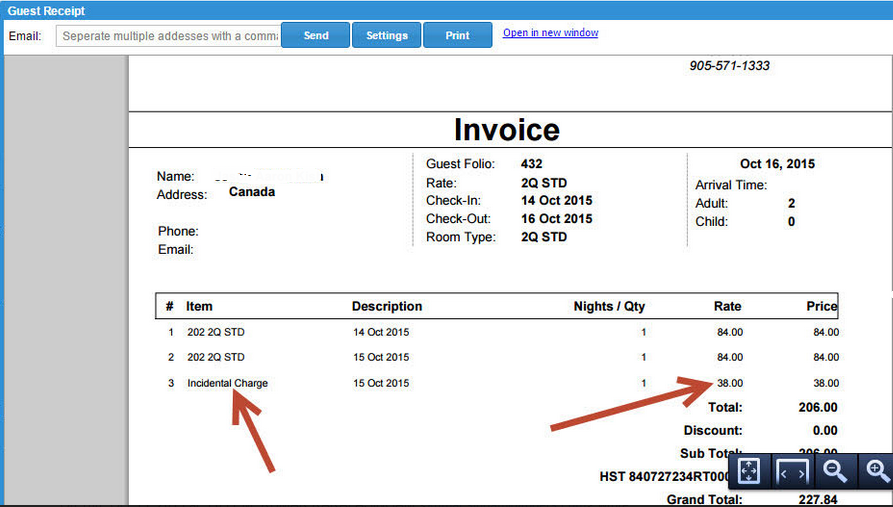
Then Choose Incidental Charge (Default amount is set to $5), you can change this amount to anything that you want. Then click "Save" this will add a line to the invoice as a Incidental Charge and it will show the amount that you entered.
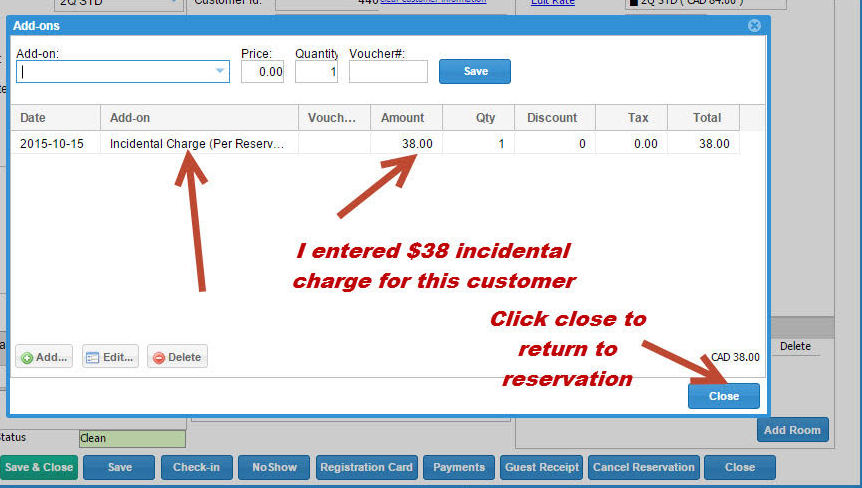
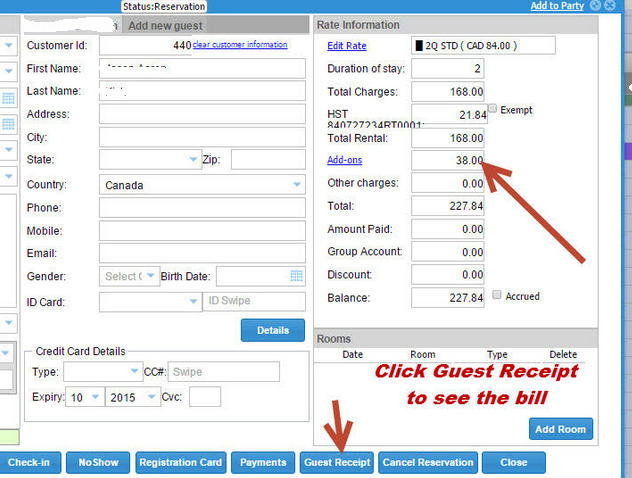
Then close the Add-on screen. You will then see the charge is added.
0 Comments